Alphabet Scape: search words
- 4.4
- Rating
- 10.00K
- Installs
- Free
- Price
 Analysis by App-foxy
I approached Alphabet Scape as a small, low-pressure word game rather than a title meant to dominate an entire evening. That distinction matters. Its appeal is in opening a puzzle when I want to wake up my vocabulary, fill a short break, or settle into something calmer than a timed arcade game. It belongs to the word category, is free to start, and is suitable for Everyone, so it is easy to recommend to families and casual players who want a gentle mental exercise.
My first impression was that the game works best when treated as a flexible daily habit. I would not choose it for a dramatic story, deep character progression, or a competitive multiplayer session. I would choose it while waiting for an appointment, during a quiet coffee break, or when I wanted something more engaging than scrolling. The basic idea is simple enough to understand quickly, but word puzzles still create a useful pause: I have to look carefully, test possibilities, and resist guessing too quickly.
That simplicity is also where the main question begins. Is this the right kind of word game for you? If you enjoy calm puzzles and like finding words from letter arrangements, it has a clear purpose. If you need constant novelty, detailed explanations, or a strong sense of progression, the experience may feel too restrained. I found the most satisfying use came from short sessions, not from forcing myself to play for a long stretch.
You May Also Like

 Blood Strike: 2.5 Anniversary
Blood Strike’s Loadouts Turn Every Drop Into a Tactical Gamble
A close look at Blood Strike’s custom loadouts: how fast access to signature weapons reshapes its battle royale rhythm, rewards preparation, and narrows the gap between fights.

 Pandora - Music & Podcasts
Pandora’s Music Is Easy to Start, but Harder to Recover
Pandora’s strength is its low-effort path from a seed to a station. Its weak spot is how much confidence it asks you to place in connection, setup, and quiet recovery.

 8 Ball Pool
 Is Built on Rivalries, Rematches, and Routine
A close look at the rivalries, rematches, shared routines, and unanswered safety questions that turn a quick pool match into a persistent mobile community.

 Samsung Music
’s Quiet Strength Is Playing What You Already Own
Its reach comes less from spectacle than from dependable access to a personal library. That simplicity is both the app’s strongest retention engine and its ceiling.

 AccuWeather: Weather Radar
AccuWeather Review: A Quick, Clear Forecast for Everyday Decisions
For everyday plans, the best forecast is the one you can understand quickly. AccuWeather makes rain timing, radar, and local conditions easy to act on, with a few trade-offs.

 Hill Climb Racing
Why Hill Climb Racing Still Turns Crashes Into One More Run
A tiny car, a bumpy hill and one more upgrade: Hill Climb Racing keeps resurfacing because its simple chaos makes every near-miss feel personal.
More From Our News Desk
View All News


What makes the first few sessions easy, and where friction appears
The opening experience is approachable because the premise does not need a long tutorial. A player familiar with word searches can understand the goal almost immediately. That makes it suitable for someone who does not usually play games, including a relative who wants a quiet brain-training activity without learning complicated controls.
Still, “simple” does not mean friction-free. The first place users can get stuck is not necessarily the puzzle itself. It can be the expectation that every word game behaves like a crossword, a spelling bee, or a fast anagram challenge. Alphabet Scape has its own rhythm, and I found it better to inspect the available letters patiently instead of applying rules from another game.
Another source of hesitation is the balance between experimentation and certainty. When I saw a possible word, I wanted to enter it immediately, but that habit can make a relaxed puzzle feel unnecessarily tense. A better approach is to scan for short familiar words first, then look for longer combinations. This is a small change, yet it makes the session feel more deliberate and reduces the sense of being stuck.
The most useful mindset is to treat each board as a visual search problem, not a test of instant vocabulary. I look for common endings, repeated letter patterns, and combinations I may have overlooked at first glance. That method is more reliable than staring at the whole puzzle and waiting for an answer to appear.
Why the calm format works for short breaks
The game’s strongest practical quality is its low commitment. I can pick it up for a few minutes without needing to remember a complicated plot or rebuild a strategy. That makes it a good companion for moments when attention is limited but I still want to do something active.
For example, I can imagine using it during a commute while seated, between household tasks, or at the end of the day when a competitive game would feel tiring. A parent could also use a puzzle as a shared activity with an older child, provided both players are comfortable discussing possible words rather than turning the session into a contest.
There is a trade-off, though. A calm word game does not provide the same immediate excitement as a timed challenge. Players who enjoy countdowns, leaderboards, or rapid-fire rounds may find the atmosphere too quiet. I would also skip it if my main goal were to learn a language systematically, because solving word puzzles is not the same as following a structured vocabulary course.
Setup checks before judging the game
Because this is a mobile game, I would begin with a few ordinary checks before deciding that something is wrong. The game is listed for Android devices using version 7.1 or later, so an older phone or tablet can be the first compatibility issue to consider. On a supported device, I would still make sure the operating system is reasonably up to date and that the device has enough free space for a normal installation.
I would also install it through the official app marketplace and allow the initial process to finish before opening it repeatedly. If the screen appears frozen during setup, switching between the store and the game several times can make the situation harder to understand. Waiting briefly, checking the connection, and reopening the game once is a cleaner first step.
The title is free to download, but it includes optional in-app purchases ranging from small amounts to substantially higher individual items. That is important for anyone handing a phone to a child or sharing a device. I would review the purchase controls on the device before playing, especially if the game is being used by a family member who may not distinguish a free download from optional paid content.
That does not make the game unsuitable for children; its content rating is Everyone. It simply means that age suitability and spending control are separate questions. I would be comfortable introducing it in a family setting after checking the device’s purchase safeguards, rather than assuming the free starting price covers every possible item.
Simple recovery when a session behaves oddly
If a puzzle does not respond as expected, I would first check whether the problem is limited to one tap or affects the whole screen. A single missed input can look like a gameplay error when the touch was slightly off the intended letter. Trying the action again slowly is more useful than immediately closing the app.
If the whole game becomes unresponsive, I would leave it, close it normally if possible, and reopen it. I would avoid repeatedly tapping while the device is busy, because that can create delayed inputs that make the next screen confusing. A fresh launch is a sensible recovery step for a lightweight word game, particularly after switching between several apps.
When a puzzle feels impossible, I would not assume that it is broken. I would retrace the board from the beginning, check whether I skipped a short word, and try a different visual direction. Word games often produce false dead ends because the eye locks onto one promising group of letters. Taking a short break can be more effective than forcing the same guess for several minutes.
One practical technique I used was to divide the board into small areas. I searched the left side, then the center, then the right, rather than scanning everything at once. After that, I looked for familiar prefixes and suffixes. This workflow is especially helpful on a small phone screen, where the entire arrangement can blur together when I hold the device too close or play in poor light.
When the app may not be the real cause
Not every interruption comes from the game. If the device is nearly full, several apps are running heavily, or the connection is unstable, the installation and launch experience can suffer even when the game itself is functioning normally. I would check those basics before blaming the puzzle.
Touchscreen problems can also imitate a game issue. A dirty screen, a thick protector, or a finger landing between letters may cause missed selections. Testing a few deliberate taps elsewhere on the device helps separate a puzzle-specific problem from a broader touch problem.
There is also a human factor. Fatigue, glare, and small text can make a word board feel much harder than it really is. I found that changing the viewing angle and taking a minute away from the screen improved my accuracy more than repeated guessing. If someone has difficulty reading the board, a larger display may be a better solution than abandoning the game immediately.
Players should also remember that vocabulary expectations differ. A word that seems obvious to one person may not be familiar to another, and a player may interpret a failed attempt as a personal weakness. I prefer to use the game as a prompt for curiosity rather than as a measurement of intelligence. That attitude keeps the experience relaxing and makes it easier to return after a difficult board.
How it compares with familiar word-game alternatives
Compared with a crossword, Alphabet Scape feels more immediate because I do not need to read a series of clues or know a particular fact before beginning. Crosswords remain better for players who enjoy definitions, themes, and a more layered solving process. I would choose this game when I want the letters themselves to provide the starting point.
Compared with a timed word challenge, it is better suited to players who dislike pressure. A timed alternative can create excitement and encourage quick recall, but it can also turn a relaxing break into a performance test. Alphabet Scape is the better match for someone who wants to pause, inspect, and solve at a personal pace.
Compared with a language-learning app, it offers less structured instruction. It can encourage recognition of words and make me notice spelling patterns, but I would not rely on it for lessons, pronunciation practice, grammar, or a planned vocabulary syllabus. Someone studying a new language should use a dedicated learning tool and regard this as an occasional supplement at most.
Compared with a large social word platform, the attraction is its quieter focus. Players who need friends, leagues, public scores, or frequent competitive events may prefer another option. I would recommend Alphabet Scape to the person who wants a private puzzle moment and does not need a social layer to stay interested.
Who will get the most from it
I think it suits casual players, families looking for an accessible word activity, and adults who want a short mental reset. The Everyone rating makes the audience broad, while the uncomplicated premise lowers the learning barrier. It is also a reasonable choice for someone returning to mobile games after a long break, because there is no complicated control scheme to relearn.
The developer is Salomo Interiors SL, and the game has built a modest player presence, with over ten thousand installs. Its average rating is 4.4 from around eight hundred ratings, which suggests that many players find the central experience appealing while still leaving room for individual preferences. I would read that as encouragement to try it, not as a guarantee that every word-game fan will enjoy its style.
The current version is 12.505, so I would check the marketplace listing before troubleshooting an unusual issue and make sure the installed copy is current. That is a practical habit with any mobile game: an older build can behave differently from the version other players are using, and updating is often a simpler first step than changing device settings.
I would skip it if I wanted a narrative adventure, a robust competitive community, or guaranteed educational progression. I would also hesitate if optional purchases are a concern and I did not want to adjust device controls. The free entry is convenient, but the presence of individual purchases means this is not the same as a completely purchase-free game.
My practical verdict after using it as a daily puzzle
Alphabet Scape works because it keeps the central activity understandable and calm. I can open it without preparing, search through letters, and leave after a short session without feeling that I have abandoned a larger obligation. That makes it more useful in everyday life than a game that demands long, uninterrupted attention.
Its limitations are equally clear. The relaxed format will not satisfy everyone, and a player looking for timed intensity, social competition, or formal learning should choose a different category of app. The optional purchase range also deserves a quick device-level check before sharing the game with children or other users.
My recommendation is straightforward: try it if you want a free word puzzle for quiet, repeatable sessions and enjoy solving by observation rather than by speed. Start with a supported Android device, keep the first sessions short, and use the area-by-area scanning method when a board seems stuck. If that rhythm feels pleasant, the game can become a useful little break in the day. If you need richer systems or stronger goals, it is better to move on without expecting this compact puzzle to become something it was not designed to be.
For me, that honest limitation is part of its appeal. It does not need to be a complete entertainment platform to be worthwhile. As a focused word game from Salomo Interiors SL, Alphabet Scape is at its best when I want a calm challenge, a few minutes of concentration, and an uncomplicated way to keep my mind active.
FAQs for Alphabet Scape: search words
01What is Alphabet Scape: Search Words?
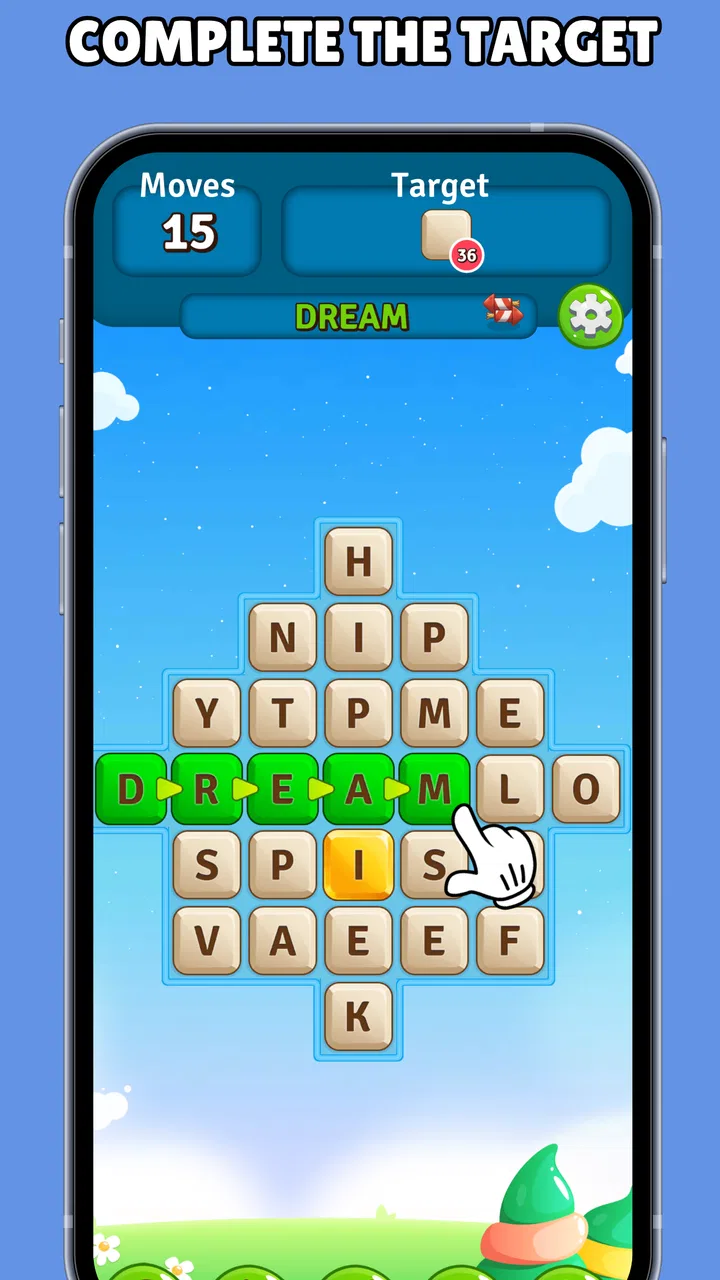
Alphabet Scape: Search Words is a word puzzle game focused on finding hidden words among letters. Each level challenges you to scan the board, identify the requested terms, and complete the puzzle before moving forward. The game is designed for casual play, making it suitable for short sessions, while gradually introducing more challenging layouts and word combinations.
02How do you play Alphabet Scape: Search Words?
Gameplay is based on locating words hidden within a grid of letters. Words may appear horizontally, vertically, diagonally, or in reverse directions, depending on the puzzle. You normally tap or drag across the letters that form the correct word. As you progress, the boards can become more difficult, so careful observation and patience are important for completing later stages.
03Is Alphabet Scape: Search Words suitable for beginners and children?
The game is generally easy to understand because its main mechanic is simply searching for words in a letter grid. Beginners can start playing without a lengthy tutorial, and the early puzzles provide a gentle introduction to the controls. However, parents should review the app’s age rating, advertising, language options, and privacy information before allowing younger children to use it.
04Does Alphabet Scape: Search Words require an internet connection?
Whether an internet connection is necessary can depend on the version of the app and the feature being used. Basic puzzles may be available offline after installation, but advertisements, updates, analytics, cloud features, or other online services can require connectivity. If you plan to play while traveling, test the game in airplane mode first rather than assuming every feature works offline.
05Is Alphabet Scape: Search Words free to download and play?
Alphabet Scape: Search Words may be available as a free download, but free access can include advertising, optional purchases, or limitations on certain features. Before installing, check the official Google Play or App Store listing for current pricing, in-app purchase details, and subscription terms. Also review the permissions requested by the app and use device purchase protections if children may access it.
Pros
- Simple word-search gameplay that is easy to learn and play casually.
- Helpful for improving spelling
- vocabulary
- and pattern-recognition skills.
- Short levels make it convenient for quick sessions on the go.
- Clean interface keeps the focus on finding hidden words.
- Suitable for a wide range of ages and skill levels.
Cons
- Some puzzles may feel repetitive after extended play sessions.
- Difficulty can vary noticeably between consecutive levels.
- Hints may reduce the challenge for experienced word-game players.
- Progress could feel slow if later levels require repeated attempts.
- Small text or touch targets may be inconvenient on some screens.

Alphabet Scape: search words
Gallery